How to Join the YiFi Partner Portal and Track Referral Volume

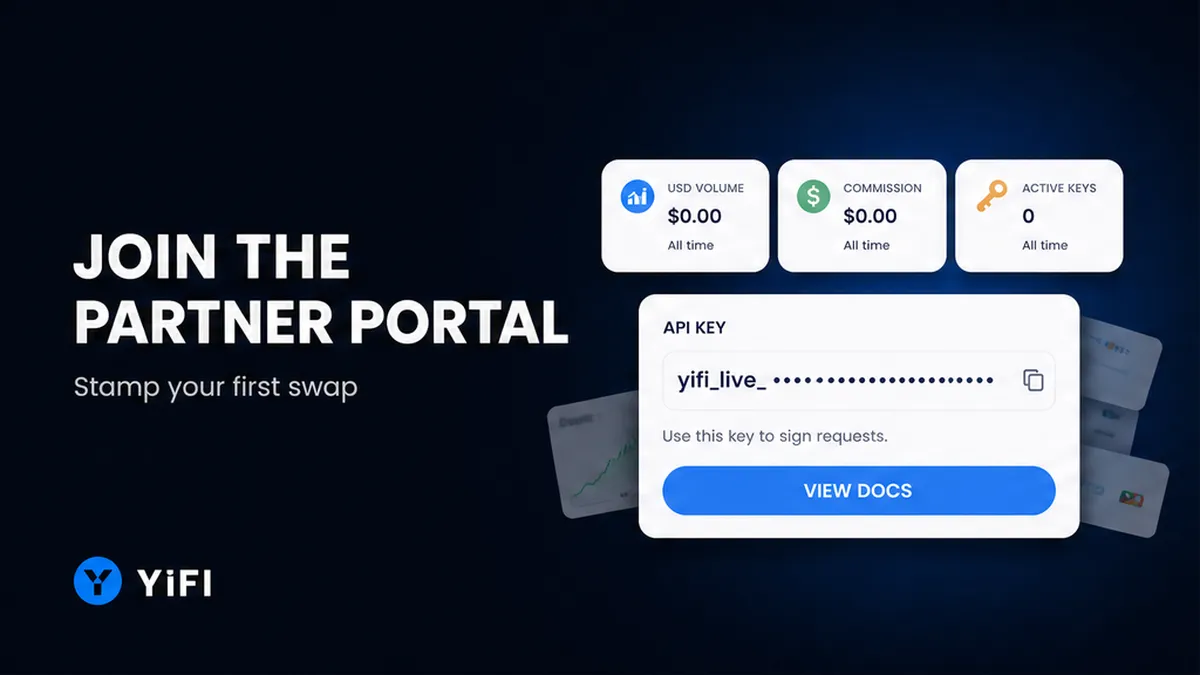
You already send swap traffic, but the crypto swap referral dashboard still shows zero. To join the YiFi Partner Portal, pick Company or Individual, verify email, mint a key or a referral link, stamp it on each swap, then read USD volume in History. Do this once so a test swap is attributed to you instead of sitting as an anonymous order nobody can pay.
Summary: Open the YiFi Partner Portal, choose Company if you need API keys and teammates, or Individual if you only share referral links. Verify email, whitelist a payout wallet, then mint a key or a labelled ?ref= link. Stamp x-api-key-partner or the referral code on POST /v1/swap, run a test swap, and confirm USD volume plus commission in History. Do not stack a key and a referral from the same account on one swap.
The portal launch note already describes one dashboard for referral swap volume, fees, active API keys, and performance. This guide is how to join, stamp traffic, and track swap affiliate volume. An API is how your app talks to YiFi without a person clicking the website. A referral link is a web address with your code stamped on it. Do not treat a free-looking key as a signed split: commercial, Partner API, affiliate, and revenue-share use can need a Partner Agreement in the YiFi API Terms of Use. Follow live Partners Portal docs when the screen disagrees with an older post.
Choose Company vs Individual before you register
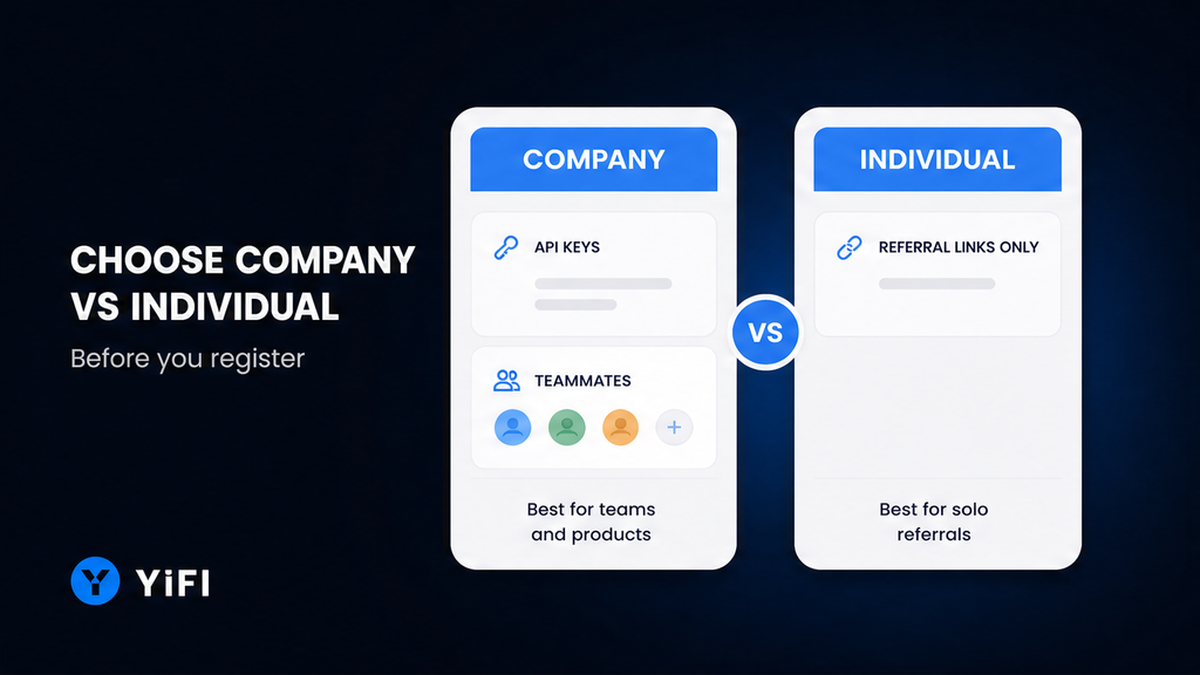
Account type is chosen at signup, not later as a casual toggle. Company fits a wallet, dApp, or exchange that needs environments, teammates, and programmatic keys. Individual is the affiliate path: KOLs, creators, and traders who share referral links. Live docs put API key creation on Company. Do not pick Individual “to grow into a widget later” if you need a programmatic key on day one.
| Check | Company | Individual |
|---|---|---|
| Who it fits | Product teams, wallets, dApps, exchanges | KOLs, creators, personal affiliates |
| API keys | Up to five labelled keys; enable or disable each | Live docs: referral links, not a key minting screen |
| Team | Invite by email; owner edits, member is read-only | Personal login; no team roster |
| Swap monetization | API keys plus labelled referral links | Referral links only |
| When to choose it | You ship an integration or need teammates | You only share ?ref= links |
Verdict: Choose Company if you will call the Swap API or invite teammates. Choose Individual if you only share referral links. If the live portal still shows a key on an Individual screen, follow that screen; do not invent a limit from an old launch sentence.
How to create the account at yifi.io/partner and verify email
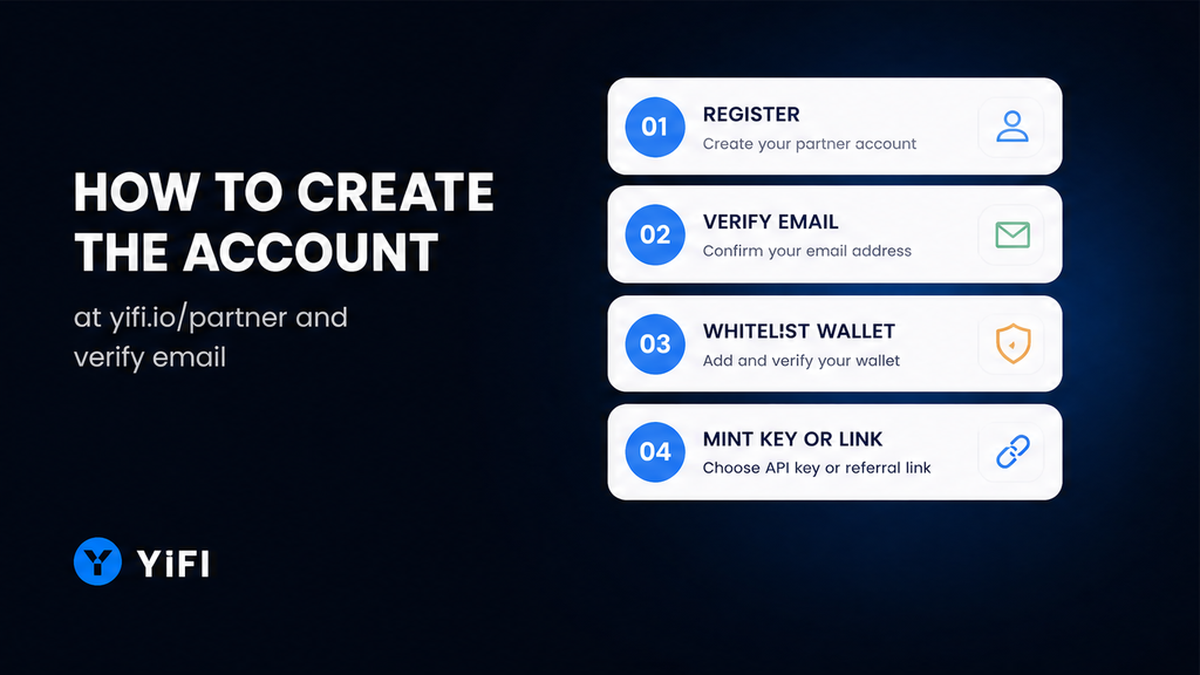
Start on the official portal, not a third-party affiliate SaaS. Use the YiFi Partner Portal. Registration asks for email plus Company or Individual. An optional referral code of the person who sent you is accepted at signup; a wrong code is rejected, so paste it carefully or leave it blank.
Workflow: Choose account type → Register + verify email → Whitelist payout wallet → Create API key (Company) or referral link → Stamp x-api-key-partner / ?ref= / zap partner_id → Test swap → Confirm USD volume + commission in History
- Choose Company if you need API keys and teammates; choose Individual if you only share referral links.
- Open yifi.io/partner, enter email and account type, and add a referrer code only if you have one.
- Verify email with the six-digit code; do not open Keys or Affiliate until the account is active.
- Add at least one payout wallet to the whitelist (EVM, Bitcoin, Solana, or Tron) and wait before any withdrawal.
- On Company, create an API key and save the full secret immediately; on both types, create a labelled ?ref= link.
- Stamp traffic: header x-api-key-partner on POST to api.yifi.io/v1/swap, or body ref / refCode, or zap partner_id.
- Read History for USD volume, commission, and hashes, then match the row to GET /v1/transactions/{id}.
Do not skip the email code. Without activation you cannot mint credentials. Check the inbox for the six-digit message, then continue.
Setup a payout wallet, then mint the first key or referral link
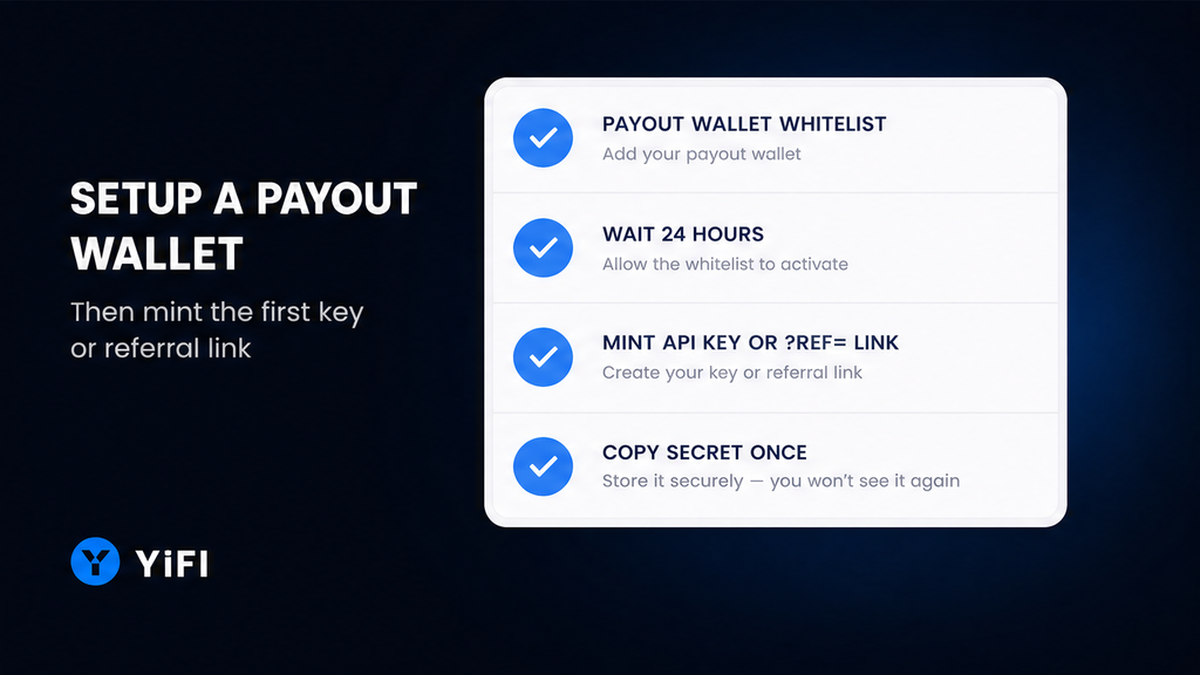
Add a payout wallet to the whitelist before you chase volume. YiFi pays only to listed addresses on EVM networks, Bitcoin, Solana, or Tron. Use a wallet you control. Do not request a withdrawal the same hour you add it: the address must stay on the whitelist for more than 24 hours, the login email must stay unchanged for 24 hours, the balance must sit above $50 equivalent, and no other withdrawal can be pending. Statuses run Pending, Processing, Completed (with a hash), or Failed after a manual review.
On Company, create an API key, label it (staging vs production), and copy the full secret once. After that the portal shows only a prefix. If you lose the secret, generate a new key and disable the old one. Keep the secret off public frontend code. API Terms treat keys as confidential: do not share or sell them; YiFi can rotate, suspend, or revoke keys. Both account types can create referral links shaped like yifi.io/?ref= your code. Use labelled links if you split channels. Do not store the full key in a public widget snippet. Surface choice (widget, SDK, or API) is covered in the widget vs SDK vs API guide.
How to attach attribution on swap traffic
Attribution is the stamp that makes a swap yours. Without it, History stays empty even if users swapped through your UI. For Swap, send the header x-api-key-partner with your API key when you create the order. Production host is api.yifi.io; staging is api-dev.yifi.io. Do not mix those with Earn OpenAPI hosts. Details of the create call sit in the Swap API reference.
You can also pass ref or refCode in the POST /v1/swap body. If both fields are present, ref wins. An unknown code returns REFERRAL_CODE_NOT_FOUND. A missing key creates an anonymous order. A bad key returns 401 with INVALID_API_KEY. Quotes are indicative, and a rateId lives about five minutes, so do not reuse a stale quote. Do not send a key and a referral from the same account on one swap: the referral share is skipped. Each swap uses one channel. For zap traffic (a zap is a one-click swap-plus-deposit into a yield strategy), attach partner_id and the partner headers the Earn Zap docs describe. Do not publish a core-dev host as production. This guide does not cover on-chain claim. Check the request your app sent before you open a payout ticket.
Monitor volume, fees, and keys in History
History lists attributed swaps from keys and from links. Filter by status, source, provider, date, or search, and export CSV when you reconcile. Rows include provider, source, tokens and amounts, USD volume, transaction hashes, commission, and status. After a test swap, check that USD volume and commission appear, then match hashes to GET /v1/transactions/{id}.
Commission is a share of the YiFi trading fee, normalized to USDT. Exact partner figures live on the Swap fees page. As that page states: network gas is the chain cost; provider fee is 0.2%–0.5%; YiFi service fee is 0%–0.4% per partner. Partners receive a 50% revenue share on attributed swaps, with a configurable partner-facing fee up to 0.2% (20 bps). Without attribution the share does not accrue; exact terms are set at onboarding. YiFi is a non-custodial aggregator: it does not hold user funds. Avoid mixing these Swap fee ranges with Earn FeeSplitter percentages. Make sure keys show the prefix you expect, and disable a leaked key. Start with one production key and one staging key.
What this guide does not cover: FeeSplitter claim
On-chain Earn/Zap fee claim is a separate flow. Do not run claim for Swap History balances. Use the FeeSplitter partner post for that path.
What to do next:
- Confirm account type still matches how you send traffic (key vs referral link).
- Confirm the test swap used api.yifi.io, a fresh quote, and a visible stamp.
- Confirm History shows USD volume and commission for that hash.
- Only then consider a withdrawal if the $50 and 24-hour wallet/email rules are met and no other request is pending.
Do not skip History and jump to payout. A completed test row is the proof the join worked.
Frequently asked questions
Should I register Company or Individual?
Choose Company if you need API keys and teammates. Choose Individual if you only share referral links. Check the live portal if the UI differs from the launch post.
Do KOLs get API access on an Individual account?
Live docs treat Individual as the affiliate path. Programmatic keys sit on Company. Do not assume a creator account mints five keys.
Where is the YiFi Partner Portal?
Use yifi.io/partner. Do not sign up on a look-alike affiliate SaaS.
Why is my swap affiliate volume still zero?
Check that x-api-key-partner or ?ref= hit POST /v1/swap. A 401 is a bad key; a missing header is anonymous; same-account key plus referral does not stack. Fix the stamp, then rerun one test swap.
Do I need a Partner Agreement before I earn a share?
Read the API Terms. Commercial use, Partner API, affiliate, and revenue-share may need a written agreement. Do not treat a free-tier key as a signed split.
Can one account be both Partner and Affiliate?
Yes on a Company account: keys plus links. Each swap still uses one channel. Do not send both stamps from the same account on a single order.
When can I withdraw partner fees?
Ask only when the balance is above $50 equivalent, the wallet is older than 24 hours, the email has not changed for 24 hours, and no other withdrawal is pending. Do not use FeeSplitter claim for Swap dashboard balances.