How to Choose a Crypto Swap Integration: Widget vs SDK vs API

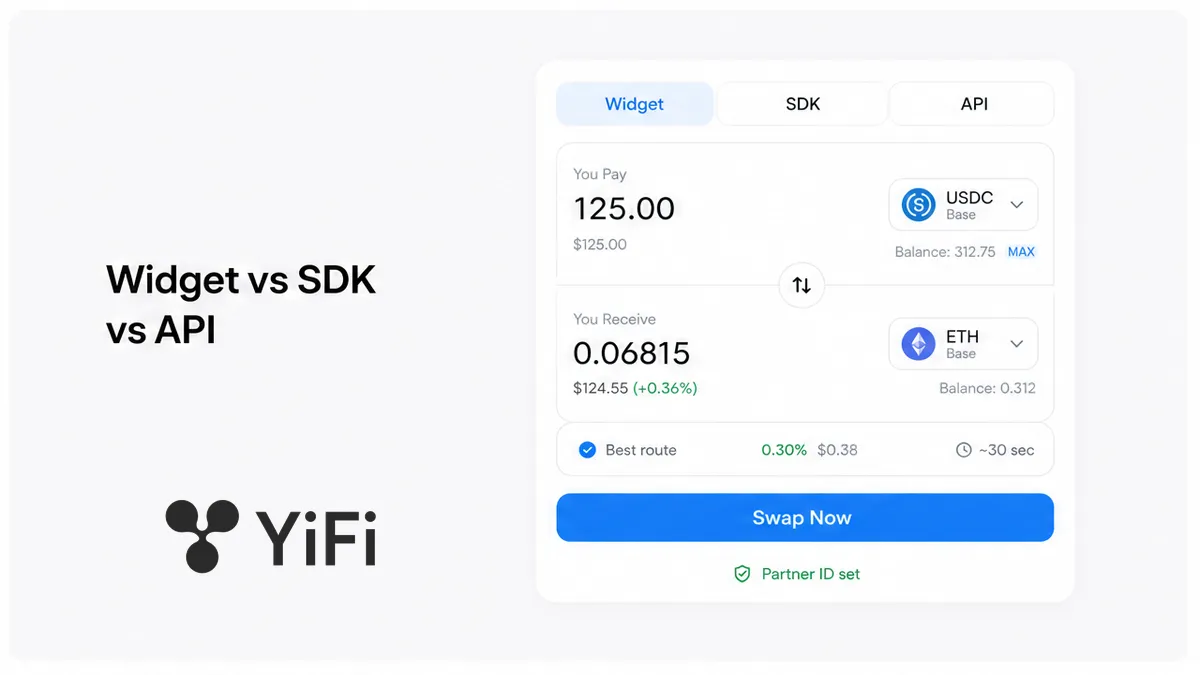
Shipping a swap into a wallet sounds simple until you pick the wrong surface: a foreign iframe that forces a second wallet connect, or weeks of raw HTTP for a screen you could have shipped this week. For crypto swap widget vs API (and the middle path, an SDK), start from the job – UI this week, own shell with connect already live, or a bot/backend – then pick Widget, SDK, or raw API, attach a Partner Portal partner ID on the first attributed quote, and clear the checklist before you write code.
Summary: Choose the integration surface from the product job, not from “what looks most serious.” Use a Widget when you need a visible swap screen fast and can accept the provider’s UI. Prefer an SDK when your wallet or dApp already connects and signs, and reserve the raw API for bots, backends, or methods the SDK does not expose. Put a Partner Portal partner ID on the first attributed test swap, then scale.
YiFi Swap is a non-custodial aggregator: Smart Routing compares DEX, CEX, and private liquidity while users keep their keys. Architecture docs list REST API for full control and Widget for a minimal UI; an SDK is the usual middle path when you already own chrome. Quotes stay indicative under API and Swap Terms. Industry playbooks (CoW, Layerswap, Jupiter) name the job first – do not copy vendor “15 minutes” claims as a YiFi SLA. Fee economics live in the crypto swap API fee models guide; here we pick the surface and the pre-code checklist only.
Workflow: Job (UI this week / own shell / bot) → pick Widget | SDK | raw API → attach partner ID → checklist (chains · fee model · custody · keys) → first attributed quote → ship
Start from the job: ship a UI this week vs own the whole quote flow
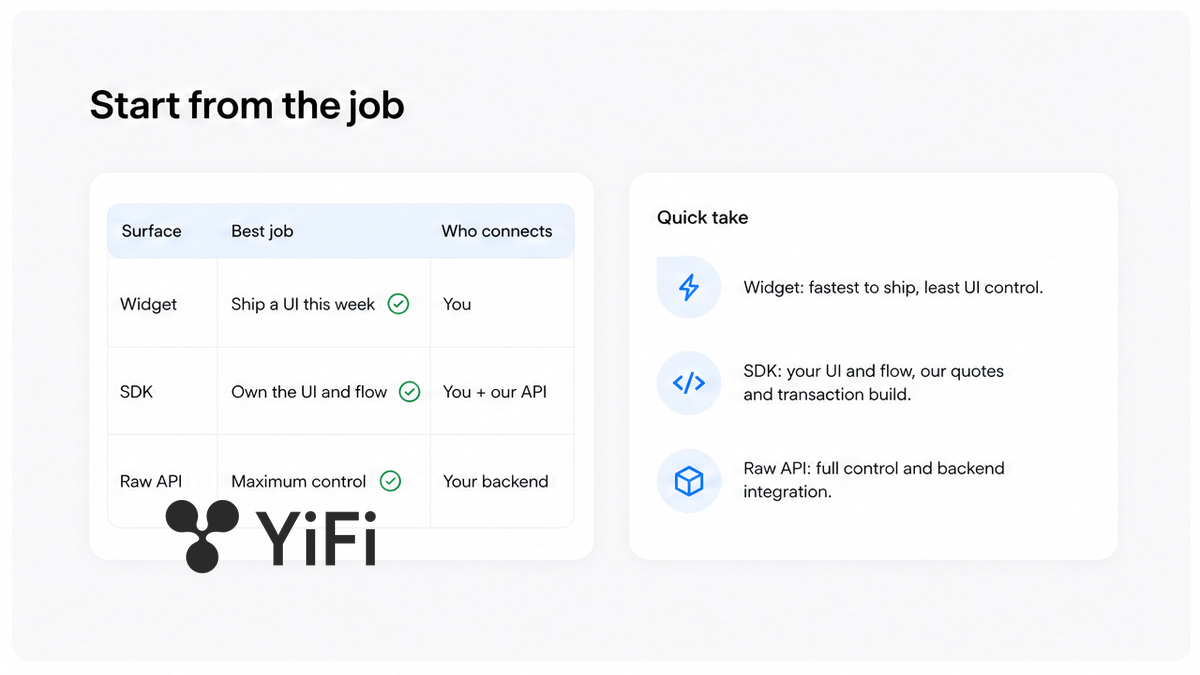
A Widget is a ready-made swap screen you drop into a page (iframe or script tag). An SDK is a library for quotes and tx build while you keep layout and wallet chrome. A raw API is plain HTTP: your bot or backend calls quote, then swap, then polls status.
- Step 1: Write one sentence for the job – token page this week, wallet with connect live, or headless bot.
- Step 2: List what you already own: wallet adapter, network switch, broadcast, or none.
- Step 3: Decide UI control – provider chrome vs your brand vs no UI.
- Step 4: Match to Widget, SDK, or raw API. Default for wallet/dApp with connect+sign: SDK, HTTP only for gaps.
- Step 5: Plan where the partner ID sits (embed, SDK config, or x-api-key-partner) before the first live quote.
- Step 6: Do not open raw API “to look serious” if an SDK already covers quote and tx build.
- Step 7: After the surface is chosen, open Partner Portal for a key and run one attributed test swap.
| Surface | What you ship | Who connects the wallet | Best job | YiFi effort (fee-models FAQ) | Where partner ID goes |
|---|---|---|---|---|---|
| Widget | Provider swap UI end-to-end | Widget, unless host passthrough is on | Visible swap this week; marketing or token page | Often deployable within days | Embed / widget config before go-live |
| SDK | Your UI; library for quote, route, tx build | Your app (you wire the signer) | Wallet or dApp that already connects and signs | About one to a few weeks | SDK partner / API key config |
| Raw API | Your HTTP client, parsers, errors, polling | Your bot or backend flow | Bots, non-JS stacks, methods SDK lacks | Longest / most engineering effort | x-api-key-partner on POST /v1/swap |
Do: Pick the surface from the job sentence. Don’t: Start with raw HTTP when you only need a branded shell around quotes.
Widget: fastest path, least UI control
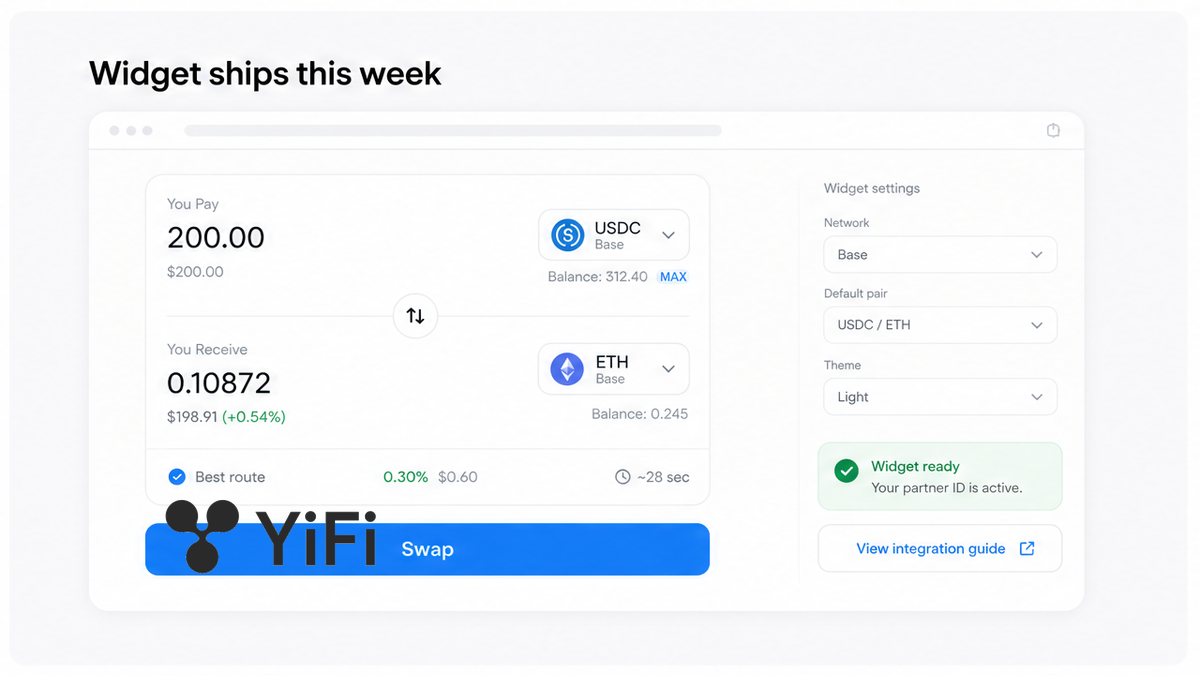
Choose a Widget when users must see a swap soon and you can live with the provider’s layout. YiFi lists Widget as the minimal embed; fee-models FAQ timing is often “within days,” not a universal SLA. Without a partner ID in the embed, revenue is not tracked – gate that before go-live. If a host wallet already exists, look for wallet passthrough (Jupiter Plugin pattern) so users are not asked to connect twice; otherwise expect a second connect inside the iframe. Do put the partner ID in before production. Don’t ship an anonymous widget “just to test.”
Do: Embed only after partner ID and passthrough (or an honest second-connect warning) are decided. Don’t: Force a double connect when the host already holds the session.
SDK: your UI, their quotes and transaction build
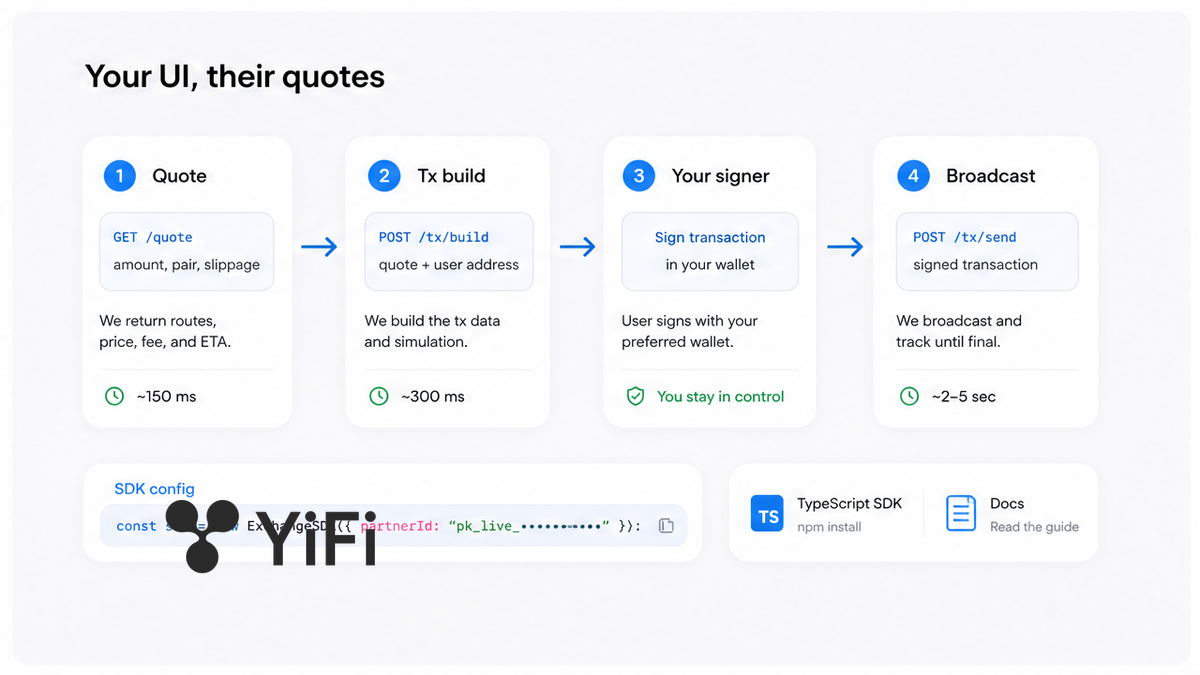
Prefer the SDK when connect, network switch, and broadcast already live. The library returns an indicative quote and helps build the tx; your signer broadcasts. Show the quote as a preview – API Terms say outcomes can differ with slippage, markets, and routes. Fee-models default: SDK first, raw HTTP for gaps. Industry habit matches: custom UI → SDK; REST only when the SDK is insufficient. Put the partner ID in SDK config. Do keep signing in your wallet layer. Don’t rebuild a second shell with a Widget if you already own connect+sign.
Do: Use SDK when the shell is yours and you need quotes plus tx build. Don’t: Treat the preview amount as a locked fill.
Raw API: bots/backends and anything the SDK does not expose
Use the raw API when there is no UI, the stack is not JavaScript, or you need a method the SDK lacks. YiFi flow: catalog → GET /v1/quote (rate snapshot about five minutes) → POST /v1/swap → poll GET /v1/transactions/{id}. Pass x-api-key-partner; invalid key → 401 INVALID_API_KEY; omit it → anonymous swap. Cookies do not attribute a bot. Engine must match the quote (cex, dex, or private). Store transactionId for status and commission logging. Do follow quote → swap → poll.
Do: Put the partner key on every attributed POST /v1/swap. Don’t: Rely on browser cookies for bots.
Checklist: chains, fee model, non-custodial execution, Partner Portal keys
Clear this list before production code. Open the YiFi Partner Portal for a key when you are ready to attribute; method details sit in the Swap API reference.
- Job sentence written: UI this week, own shell, or bot/backend
- Surface chosen: Widget, SDK, or raw API – not all three at once
- Chains and tokens match what users hold (do not invent a live non-EVM list)
- Fee model decided at a high level – read fee-models; do not copy vendor percentages
- Non-custodial path clear: user signs or a provider executes; YiFi does not custody keys
- Off-chain / CEX legs labeled honestly; providers may KYC, delay, or freeze – see Terms/AML
- Commercial use checked against API Terms; a Partner Agreement may be required
- Account type: Company for API-key monetization (launch post: up to five keys + team); Individual one key + referral
- Full API key copied when shown once; kept out of chat logs
- Partner ID in embed, SDK config, or x-api-key-partner before go-live
- First attributed test swap done; History checked so traffic is not anonymous
- Widget-only: passthrough decided if host wallet exists
- SDK path: connect, switch, and broadcast already owned
- Raw API: quote TTL, swap, poll, and transactionId rehearsed on a test wallet with gas
Key limits are in the Partner Portal launch post – not a join tutorial. After the checklist is green, run one attributed swap, confirm History, then scale UI.
Verdict: Wallet with connect+sign → SDK (+ HTTP gaps). Marketing page this week → Widget with partner ID and passthrough plan. Bot or missing SDK method → raw API with x-api-key-partner on every swap.
Frequently asked questions
Which path is fastest to a visible swap?
If you need a visible swap this week and can accept the provider UI, start with a Widget and put the partner ID in the embed before go-live. If connect and sign already exist, skip the Widget and open with the SDK instead of rebuilding a second shell.
Do I need a Partner Agreement to integrate?
Read the public API Terms first – they cover APIs, SDKs, widgets, and data feeds. Before you monetize partner volume, confirm whether your use needs a separate Partner Agreement rather than assuming a free tier covers payouts.
Where do API keys and partner IDs live?
Create keys in the Partner Portal (same /partner entry as above). Copy the full key when it is shown once, then pass x-api-key-partner on POST /v1/swap (or Widget/SDK config) so attribution survives your UI.
We already have wallet connect – Widget or SDK?
Prefer the SDK so you keep chrome and signing. If you still embed a Widget, turn on wallet passthrough or the provider’s equivalent so users do not connect twice.
When is the raw API the right call?
Use raw HTTP for bots, backends, non-JS stacks, or methods the SDK lacks. Follow quote → swap → poll, put the partner key on the request, and remember cookies will not attribute a bot.
Can we start with a Widget and migrate later?
Yes: validate demand with a Widget, then move quote and tx build into SDK or API once your shell is ready. Keep the same partner ID so History stays continuous, and do not ship without attribution.
Is the integration non-custodial?
Confirm against provider docs: YiFi API Terms describe a non-custodial interface where the user or wallet holder signs, or an independent provider executes. Still label off-chain or CEX legs honestly and point to AML/Terms – do not promise “no KYC ever” on every rail.