How to Troubleshoot a Reverted Crypto Swap (Quote Expired, Slippage, Wrong Chain)

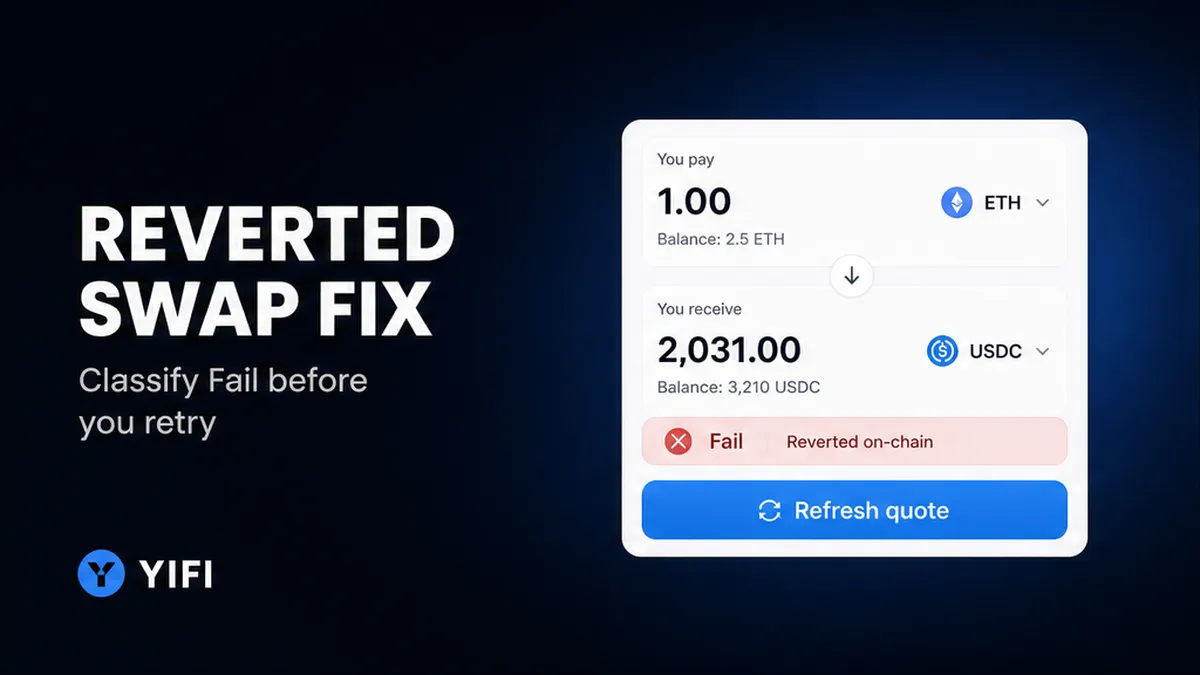
The explorer shows Fail. Tokens never left the wallet, yet the network still took a fee. That is a reverted swap: the chain tried the trade, then rolled it back. To troubleshoot a reverted swap, stop, classify the status, open the explorer for the chain you signed on, match one cause, and retry only with a fresh aggregator quote. You leave with a one-variable retry, not a second blind send.
Summary: A revert is not a pending send and not an off-chain hold. Confirm the status, read the matching-chain explorer, and tag one cause (expired quote, slippage, gas, wrong chain, or allowance). Then request a new quote and change one variable. Do not reuse old calldata, raise slippage first, or send a second deposit to the same off-chain address.
YiFi Swap is a non-custodial aggregator: one screen that compares many routes. You keep the keys. YiFi does not hold coins or reverse a signed transaction. Homepage text describes Smart Routing as a ranker across DEX pools (on-chain contracts), CEX desks (a company hop), and private liquidity (sources named include LI.FI, Rango Exchange, 0x, Quickex, and ChangeNOW). Quotes are indicative. Homepage FAQ text says YiFi adds no extra platform fee on swaps; you still pay network gas plus exchange or LP fees.
A revert means the contract refused the swap and undid token movements, like a checkout that cancelled after a small processing fee. Gas is that network fee in the chain’s native coin. Do not treat Fail as stolen. Do not treat a bridge hop (a middle step to another chain) that still says PENDING as failed.
Confirm failed vs pending vs a bridge hop before you retry
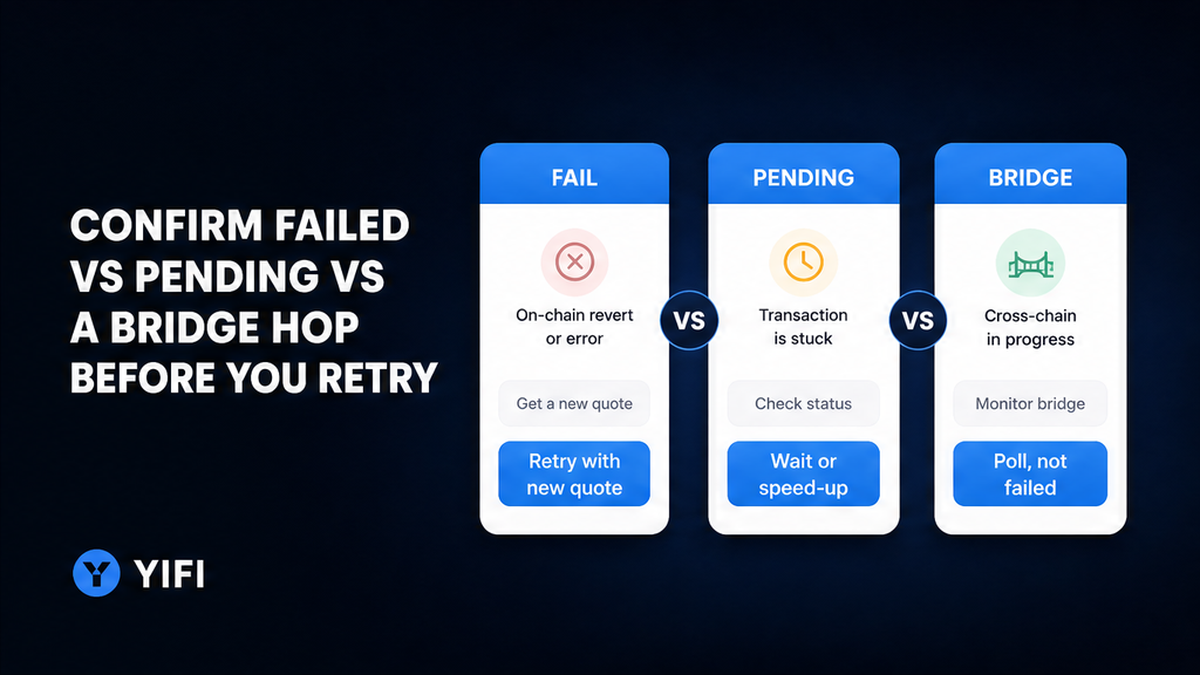
Do classify the status before you touch gas controls or tap swap again. Don’t speed up, cancel, or send a second amount until you know whether anything broadcast. No hash: the wallet may never have sent. An off-chain desk can hold or reject under its own terms. That is not an EVM revert, and YiFi is not that provider.
| What you see | What it usually means | What to do |
|---|---|---|
| No hash | May not have broadcast | Do not send again. Check the wallet network, then request a new quote |
| Pending | Not mined. Not a revert | Wait or use wallet speed-up or cancel (pending only) |
| Fail / reverted | Mined, then rolled back | Read the matching-chain explorer. Retry only with a fresh quote |
| Dropped / replaced | Later tx reused the nonce | Open the replacement hash |
| Bridge PENDING | Source may be done; dest still moving | Poll. PENDING is not failed. Status 404 is not proof of “never happened” |
| Off-chain hold | Desk KYC, delay, or reject | Do not send a second deposit. Follow that provider |
Workflow: stop → classify status → matching-chain explorer → match one cause → fresh quote + chain and wallet check → one-variable retry → compare fill to minimum received
Do start with the source-chain receipt. Don’t auto-resubmit because a tracker timed out.
Open the matching-chain explorer and read the revert reason
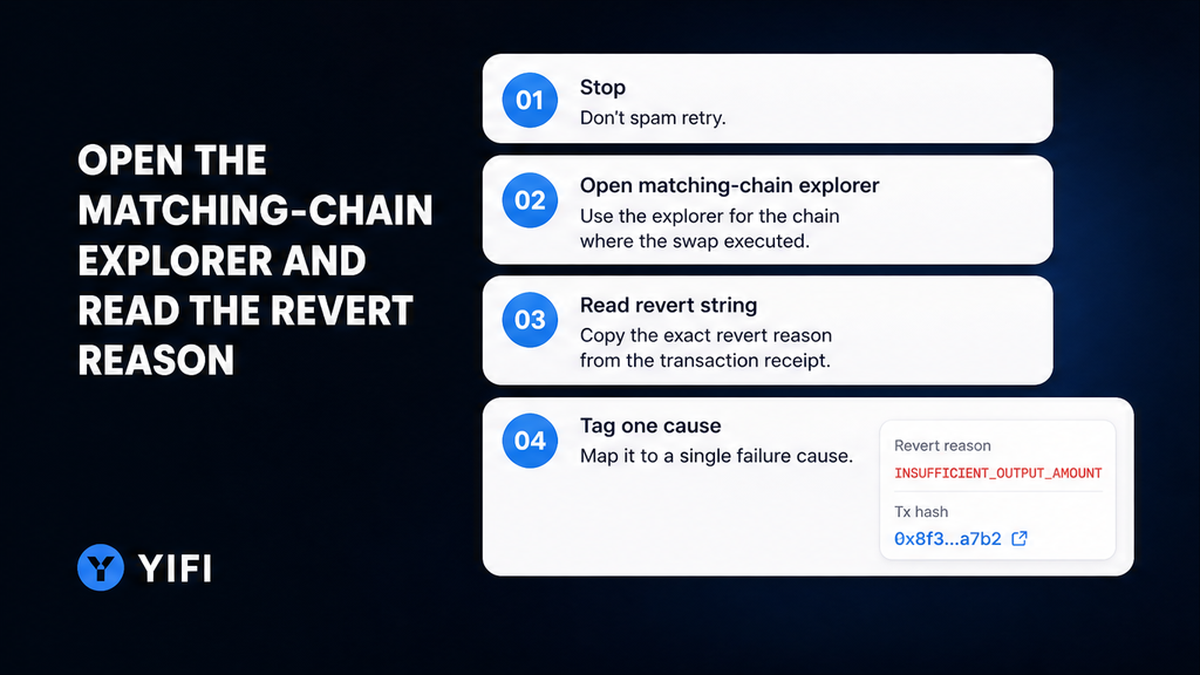
Do open the explorer for the network you signed on. Don’t paste the hash into the first Ethereum explorer if the route was Arbitrum, BSC, Base, or another homepage chain.
Etherscan: Fail means intended funds stay in the wallet; gas is still deducted. Reverted means the tx did not execute and state rolled back. Same-chain swaps are atomic in LI.FI’s troubleshooting FAQ: succeed or revert, and gas may still be spent. After an atomic revert, outgoing token transfers should not have completed.
Check status, gas used versus gas limit, token transfers, and the revert string. Common labels: EXPIRY PASSED, EXPIRED, Transaction too old, insufficient output, “Return amount is not enough”, out of gas, TRANSFER_FROM_FAILED (often allowance). Write one cause. Don’t treat paid gas as proof tokens moved.
Match the cause: expired quote, slippage, missing gas, or wrong chain
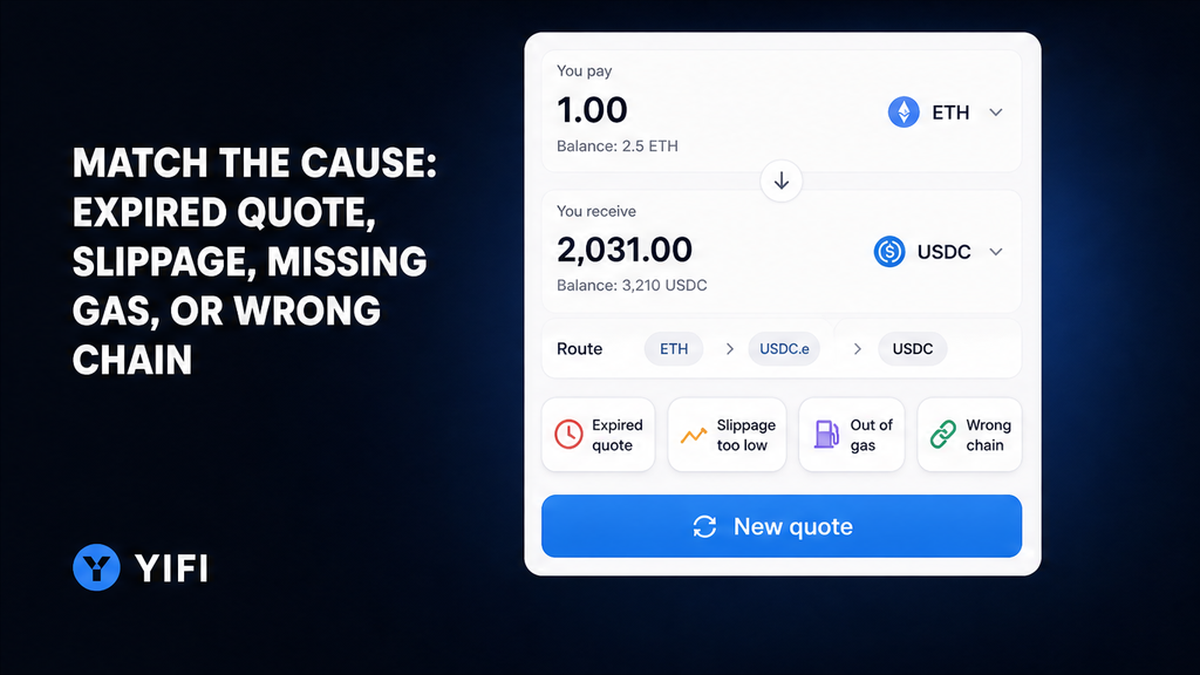
Do match one cause. Don’t stack three fixes at once. A quote is the aggregator’s short-lived estimate. The signed payload (calldata: packed instructions) includes a deadline and a floor.
Expired quote. MetaMask’s error guide: EXPIRY PASSED if you waited too long to confirm, or you submitted while quotes were refreshing. Retry from the beginning. LI.FI’s debug guide maps Transaction too old / EXPIRED to a deadline already past the block time. Fresh quote; do not reuse old calldata.
Slippage is how far the live price can move versus the quote before the contract may finish. The tolerance writes a minimum received into the tx. If the pool cannot meet that floor, it reverts. 1inch Learn (updated July 2026): you pay the network fee, and no tokens change hands. LI.FI treats “Return amount is not enough” as a slippage reject and says to re-quote within about 60–90 seconds first. A wide tolerance is a sandwich window for bots. Do not copy “just add a couple of points” as a YiFi default.
Gas. ethereum.org states the fee is paid whether the tx succeeds or fails. If execution runs out of gas, state reverts, but all gas provided is consumed. A simple ETH transfer example on that page uses 21,000 gas units; a swap needs more. Use the gas limit from the new quote.
Wrong chain or token. If the wallet was on another network than the route, the swap may never start, or you read the wrong explorer. Same ticker, different chain, different asset. Confirm whether a tx landed. A completed send to an incompatible address is not a revert.
Allowance is permission for a contract to pull tokens. TRANSFER_FROM_FAILED often means the spender is unapproved or already spent. Approve the spender from the new quote, then swap.
Do separate an on-chain revert from an off-chain KYC hold. Swap Terms treat quotes as informational and say an off-chain provider may KYC, freeze, delay, or reject on its own side. YiFi itself does not perform KYC on Swap users.
How to refresh the aggregator quote and re-check asset, chain, and wallet
Do request a brand-new quote. Don’t sign the old wallet prompt. Open official YiFi Swap, set from/to, amount, and chains, then confirm the receiving wallet and source-chain native gas. Homepage FAQ names Ethereum, Arbitrum, BSC, Base, and others; do not invent a live non-EVM list. If the path is thin, use a DEX-only filter before a wider slippage (see the DEX vs CEX swap route checklist). Compare output to minimum received on the quote screen, not the headline ticker.
Do make sure destination ticker, chain, and address match. Don’t send a second off-chain deposit to an address from an expired order.
Retry checklist: what to change once, what not to raise blindly
Do change one variable. Don’t raise slippage so it “just goes through” as the first lever. After a fill, compare output to minimum received.
- Stop. Confirm you have a hash, or confirm the wallet never sent.
- Classify pending, reverted, dropped-replaced, bridge PENDING, or off-chain hold.
- Open the explorer for the chain you signed. Read Fail, transfers, gas used, and the revert string.
- Tag one cause: expiry, slippage, out of gas, wrong chain or token, or allowance.
- If the hop is an off-chain hold or an expired desk deposit, do not send again to that address.
- Request a new aggregator quote. Re-select asset, chain, wallet, and native gas. Never reuse old calldata.
- Retry with one change: smaller size, DEX-only, or the gas limit from the new quote. Check the fill against minimum received.
LI.FI: after a same-chain revert, tokens remain in the wallet; gas is still consumed; retry with a fresh quote. Cross-chain: the bridge can succeed while the destination swap fails; the user is typically credited on destination in the bridged asset, then needs a fresh quote. Refund eligibility depends on the bridge or tool, not on YiFi reversing your tx.
Avoid typical mistakes on the next send
Avoid signing a stale payload. Avoid treating paid gas as a token loss. Avoid speed-up tools on a tx that already reverted (those are for pending txs). Avoid a second desk deposit and a made-up slippage percent. When the checklist is clean, go back to YiFi Swap, request one fresh quote, and sign only that payload.
Frequently asked questions
Did I lose my tokens if the swap reverted?
On a same-chain atomic revert, input tokens stay and gas is still paid. Confirm on the matching-chain explorer that token transfers did not complete.
Why did I pay gas on a failed swap?
You pay for computation validators already did. ethereum.org states the fee is paid on success or failure. MetaMask cannot refund it. YiFi does not hold that fee.
Should I raise slippage so it goes through?
No as the first move. Refresh the quote, cut size, or change route. 1inch treats repeated reverts as a size or timing signal, not a reason to crank the setting. A wide tolerance is a sandwich window.
The quote expired. What do I do?
If you never broadcast, request a new quote and sign the new payload. If the explorer shows EXPIRY PASSED, EXPIRED, or Transaction too old, do not reuse calldata; start over. If you already sent to an off-chain deposit after the timer, do not send again.
Swap failed on the wrong network. Are the funds gone?
If the wallet was on the wrong chain before you signed, confirm whether a tx even landed. Switch to the route’s chain, open that explorer, then refresh the quote. A completed send to an incompatible address is not a revert.
Is an off-chain KYC hold the same as a reverted swap?
No. A revert is an on-chain contract refuse. A freeze or delay is the off-chain provider under its terms. YiFi does not run that KYC. Do not send a second deposit; follow that provider or restart on a DEX-only route.