How to Get Destination-Chain Gas After a Cross-Chain Swap

Your USDC shows on the new chain. The next click dies with “insufficient funds for gas.” Token arrival is not destination-chain gas. Gas is the small network fee to run a transaction, paid only in that chain’s native coin. To get destination chain gas after a cross-chain swap, check native balance on the destination explorer. Then take a native slice on the next route, or send a tiny top-up. Do not fire a second full-size swap.
Summary: A completed cross-chain swap can credit a token while your destination native balance stays at zero. Check native gas on the destination explorer, not the quote’s source-chain gas line. Before the next swap, take a dest-native slice or set part of the output to the native token. If tokens already landed with no gas, send a small top-up instead of another full-size swap.
A cross-chain swap moves value from a source chain, where you sign, to a destination chain, where tokens should appear. YiFi is a non-custodial aggregator: it compares DEX (on-chain pools), CEX (centralized exchangers), and private routes. The homepage names LI.FI, Rango, 0x, Quickex, and ChangeNOW. Many routes pay dest execution through a relayer, so the bridge can finish without dest gas in your wallet. Your next click still needs dest native.
That trap is a cold-start: stables arrived, native is 0, so approve or transfer cannot start. Homepage FAQ says YiFi does not add a platform fee on swaps; you still pay network gas plus exchange or LP fees. Quotes stay indicative. This guide is how to get dest native, not an arrival tracker.
Check the destination chain and its native gas token
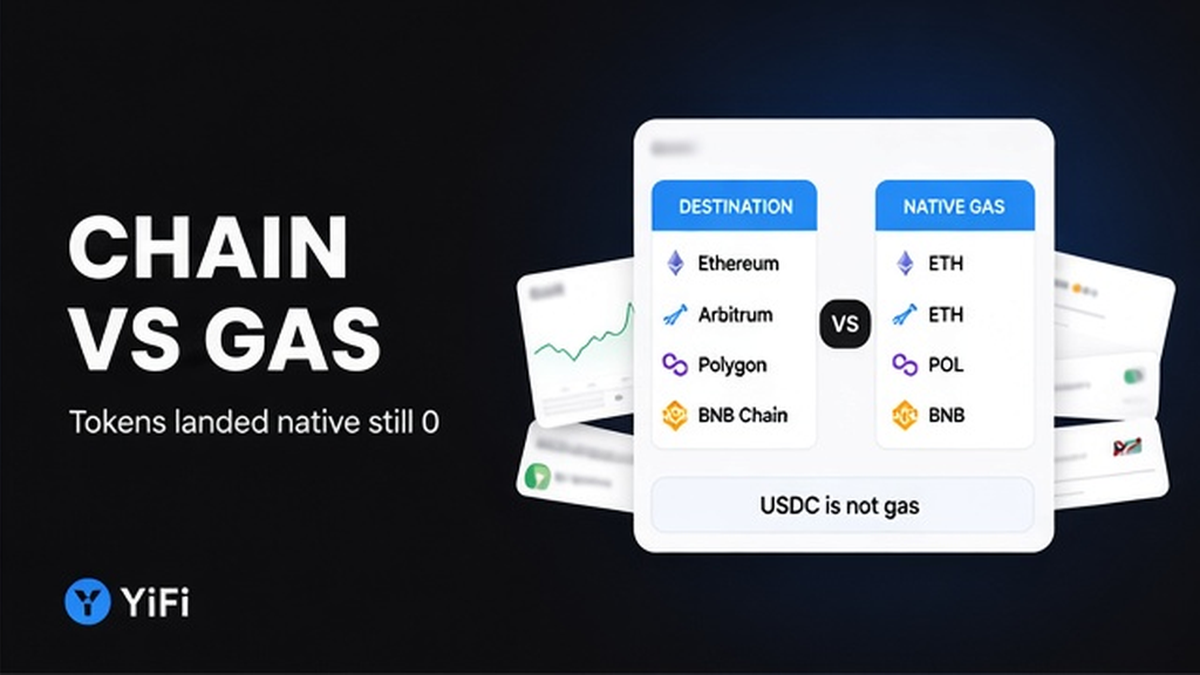
Do name the destination chain and its native gas token before any second click. Native gas token means the chain’s own coin, the only unit a normal wallet burns to run a transaction. An ERC-20 ticker on that network, such as USDC, is not gas. It cannot pay its own transfer on a standard EVM account.
Use this naming table. It is not a full YiFi network list.
| Destination example | Native gas token | Do not confuse with |
|---|---|---|
| Ethereum. | ETH. | USDC or USDT sitting on Ethereum. |
| Arbitrum One or Base. | ETH. | ARB on Arbitrum One. ARB is not the fee token there. |
| BNB Chain. | BNB. | BEP-20 stables on the same chain. |
| Polygon PoS. | POL. | A wallet that still prints “MATIC”. That label is stale. |
On Ethereum, official gas docs are blunt: you pay native ETH even if the transaction fails. Do not treat a live gwei print as a forever price. Name the native ticker first. Then open the explorer.
Check destination native balance separately from arrival and quote gas
Do open the destination explorer and read native balance as its own line. Do not merge it with token transfers. Do not reuse the source-chain gas figure from the quote. Arrival is not spendable until you can pay dest gas. Source-chain gas on the quote only covers the origin broadcast.
On LI.FI-style routes, dest execution for this transfer is often already inside fee costs. That is not a native credit in your wallet. 0x quotes can show a bridge native fee on the origin side. That extra origin value is not dest ETH, POL, or BNB in your address.
Decide why you need dest gas now. Some routes wait for a manual claim or mint. That claim is a destination transaction. Other times the swap already completed, and you only need dest gas for a later approve or spend. Do not mash a Failed claim while native is still 0. If the route is waiting on a claim, read the claim-step notes on a stuck route after you actually hold dest native.
Do check native above zero on the dest explorer before the first dest action. Don’t trust a COMPLETED badge or a token inbox as proof you can spend. For how the quote’s gas line is built, see the separate guide on source-chain gas on the quote.
How to get destination-chain gas before the next swap
Do plan dest native before you sign the next cross-chain move. Don’t wait for the main token to “include gas somehow.” Industry UIs call this gas-on-receive, Get Gas, or a destination native slice: part of the send becomes dest native in the same movement. It is not a gift. Main-token output falls by that slice.
YiFi public docs do not describe a dedicated Gas on Receive toggle. Check whether this route’s quote already carves dest native. If it does, enable that slice. If it does not, set a slice of output to the destination native token, or add a tiny dedicated native route. LI.FI documents the same idea as converting part of the send into dest native. That cut is not bridge execution gas, and it is not a subsidy.
Use YiFi Swap and read the quote for a dest-native slice before you sign. Do not invent a button that is not on this route. Do not set the whole output to native unless the goal is gas, or a planned native stack. For stables, take a slice. Gasless options, when they exist, usually solve source signing, not dest native after arrival.
Fix zero native gas without another full-size swap
Do send a small dest-native top-up when tokens already sit with 0 native. Don’t launch a second full-size swap on luck. A second large route can land more of the same token and still leave native at zero.
Pick one small path:
- Withdraw a small amount of dest native from a CEX to the same destination address.
- Use a dedicated gas-refuel tool such as Gas.zip or a similar dest-gas top-up, and stay inside that tool’s own limits.
- Run a tiny swap whose output is the destination native token only.
- Send dest native from another wallet you already control on that chain.
- Stop if native is still 0. Do not retry a Failed claim or approve until the explorer shows a native credit.
Gas.zip is a refuel, not a swap. Check their UI limits before you send. Do not treat those numbers as a YiFi fee. Off-chain rails that advertised “no gas” usually meant no source wallet gas to start. After payout you still need dest native. A KYC label does not replace it.
Checklist: source gas vs destination vs claim-step vs later approvals
Do walk four pockets before you click again. Don’t mix them. Relayer cost in the quote is not dest balance.
| What it pays | What it is not | |
|---|---|---|
| Source gas. | Signing the origin transaction. | Native sitting on the destination address. |
| Destination native. | Your next dest action: transfer, approve, or spend. | The USDC or USDT you just received. |
| Claim-step gas. | A manual mint or claim, only if the route waits for you. | A relayer fee already baked into the quote. |
| Later approvals. | Each approve is a separate dest transaction. | A stablecoin balance paying its own permission. |
Workflow:
Name dest chain + native token. → Explorer: token credit vs native balance. → Need gas now (claim vs later spend)? → Next swap: dest-native slice or output=native. → Already 0: small top-up. → Checklist: source / dest / claim / approvals. → Confirm native above zero. → First action.
- Name the destination chain and its native gas token before any second transaction.
- On the destination explorer, check native balance separately from token transfers and from quote source-chain gas.
- Decide if dest gas is for a claim now or only for later approve and spend.
- If you have not signed yet, look for a dest-native slice or set output to native for the amount you need.
- If tokens already landed with 0 native, send a small top-up. Do not send a second full-size swap.
- Walk the four pockets: source gas, dest native, claim-step, later approvals.
- Confirm native above zero, then run the first dest action you actually need.
- Save source hash, destination hash, and order ID. A KYC label does not replace native.
Do confirm native above zero, then make the first dest action. Don’t spam a failed claim. Start the next move from YiFi Swap with dest native in the plan.
Frequently asked questions
Do I still need destination gas after a completed swap?
Yes, if you want to spend, approve, or claim on the destination chain. Arrival of USDC or USDT is not native gas. Open the destination explorer and check native balance before the next click.
What does gas-on-receive actually do?
It slices part of the send into dest native in the same movement. Main-token output falls. It is not a subsidy. Read the quote: YiFi may or may not surface a toggle on that route. If there is no slice, set a native output or plan a tiny top-up.
Can I spend received tokens with 0 native gas?
Usually no on a standard EVM account. Approve and transfer need native. Exceptions are a chain or wallet paymaster, or a route that already paid a claim for you. Check native on the explorer.
What is the difference between source gas, destination gas, and claim-step gas?
Source gas lets you sign the origin transaction. Dest native pays your next dest transaction. Claim-step gas is only if the route waits for you to mint or claim. Relayer fee in the quote is not dest balance. Check each pocket.
Tokens arrived and native is 0. What now?
Send a small top-up: CEX native withdraw to the dest address, a gas-refuel, a tiny swap to native, or a transfer from another wallet. Do not send a second full-size swap. Confirm native above zero, then claim or approve.
Should I set the whole output to the native token?
Only if the goal is gas, or a planned native stack. For stables, take a slice or a separate tiny native route. Avoid dumping the full size into native just in case.
The off-chain route said “no gas.” Why am I stuck?
That line usually means no source wallet gas to start. After payout you still need dest native to move tokens. Check dest native on the explorer. Then top up a small amount before you try to spend.