How to Swap in the YiFi Telegram Mini App

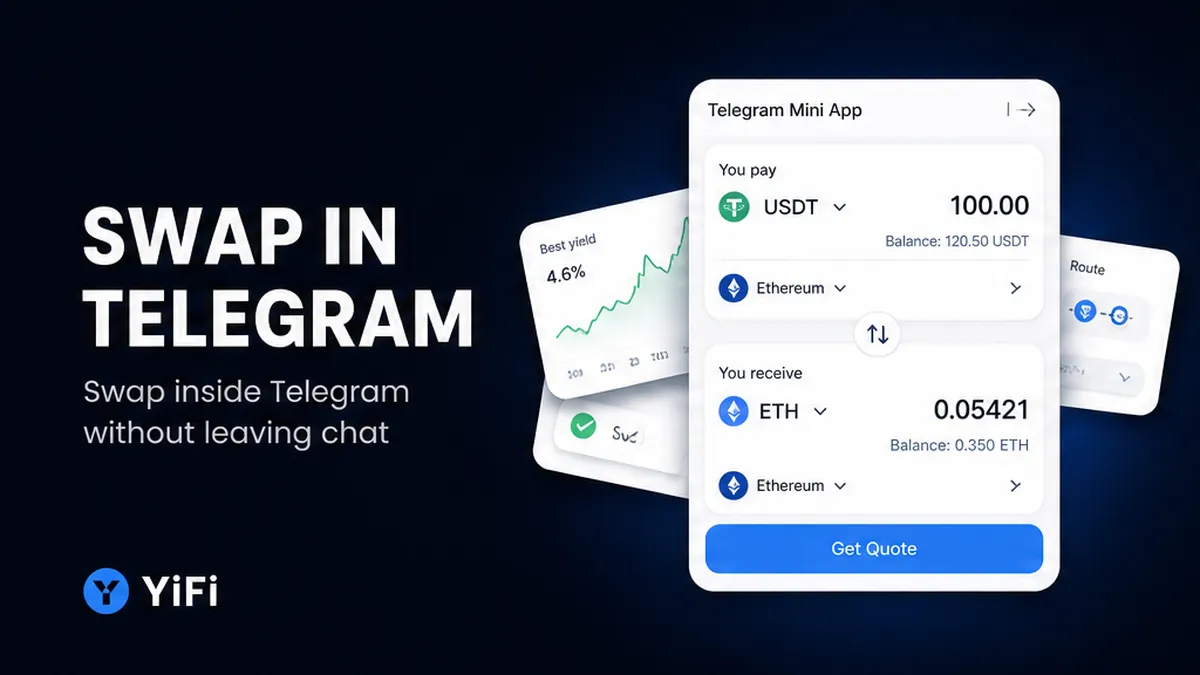
Random Telegram chats still ship fake swap bots that copy a brand name. Need how to swap in telegram mini app without leaving chat? Open only official @yifi_io_bot, launch the Mini App, pick the pair and both chains, then paste a matching receive address. Read the indicative quote before you confirm. You finish with a bot card: amount, chain, transaction hash, and order ID.
Summary: Open only official @yifi_io_bot and launch the Mini App from that chat. Pick the pair and destination chain before you request a quote, then paste a receive address on that same chain. Treat the quote as indicative: check estimated output, gas versus LP or exchange fee, minimum received, and any KYC label. Confirm only if that checklist matches the screen, then match the bot completion card to an explorer, not to a mid-market ticker.
A Telegram Mini App is a full web screen that opens inside Telegram from a bot or a chat link. YiFi’s Mini App is another front of the same swap router, not a cheaper product with different prices. The YiFi Telegram Mini App launch note (28.07.2026) is the product canon: open the bot, tap Swap, select the pair, paste the receiving address, confirm.
YiFi is non-custodial: you keep keys and funds. It is an interface plus router, not a custodian and not an in-chat wallet that holds a balance. Swap looks for a route across a DEX (an on-chain pool you trade against with a wallet signature), a CEX (an off-chain exchanger in the path), and private liquidity through Smart Routing. The homepage names LI.FI, Rango Exchange, 0x, Quickex, and ChangeNOW. The Mini App post says the bot uses the same routing with 10+ swap providers.
Workflow: Official @yifi_io_bot → launch Mini App → pair + chains → amount + receive address → read indicative quote (gas / LP or exchange fee / KYC) → refresh if stale → confirm → bot completion card (amount, chain, tx hash, order ID).
Launch the Mini App from official @yifi_io_bot
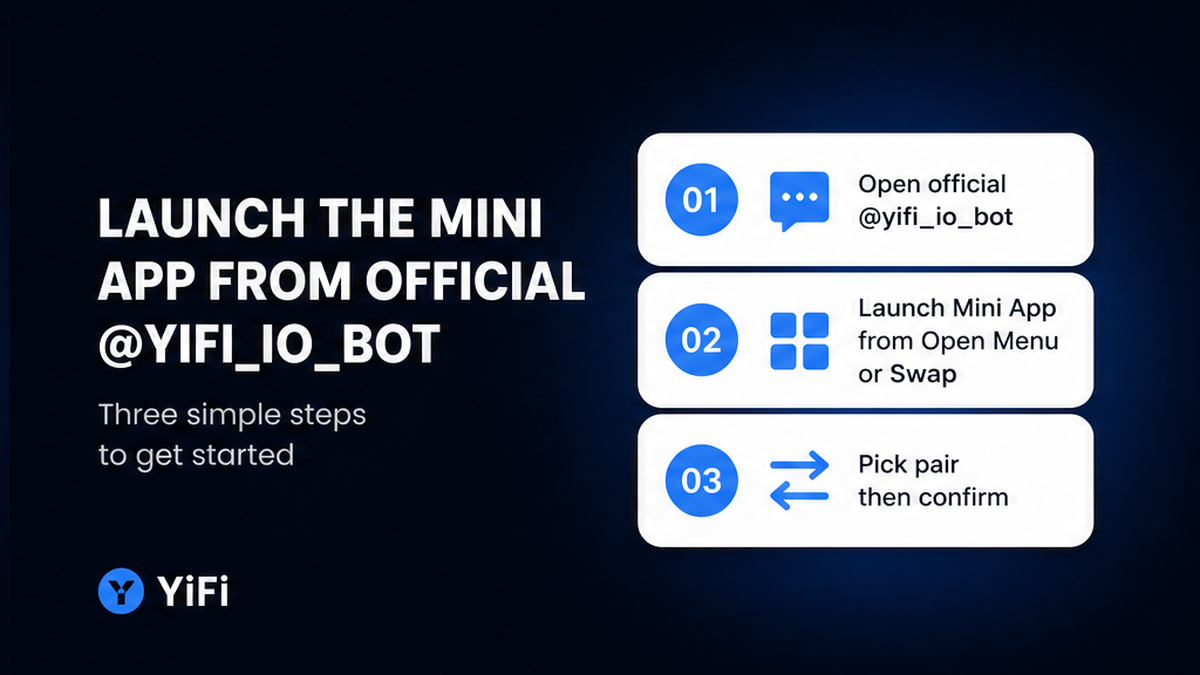
Start with the official bot only. The handle is @yifi_io_bot. Use the official YiFi Telegram bot if you are not already in that chat. Do not tap a “YiFi swap” button from a group, a DM, or a lookalike username.
Inside the official chat, launch the Mini App from Open, Menu, or Swap. Official YiFi materials for this bot do not describe TON Connect or WalletConnect as a required step, so do not hunt for a new wallet app first.
Do: type the handle yourself or reuse the official link, then launch Swap from that bot. Don’t: follow a forwarded “support” account that asks you to paste a seed phrase into any Mini App.
- Step 1: Open Telegram and find only official @yifi_io_bot. Avoid unknown YiFi swap links from chats.
- Step 2: Launch the Mini App from Open, Menu, or Swap. A separate login is not required.
- Step 3: Choose send token, receive token, and both networks before you request a quote.
- Step 4: Add the amount and paste the receive address on the same chain the screen shows.
- Step 5: Check the indicative quote: estimated output, gas versus LP or exchange fee, minimum received, KYC label.
- Step 6: Refresh a stale quote. Confirm only if address, chain, and amount match the checklist.
- Step 7: Wait for the bot completion card, then check amount, chain, tx hash, and order ID against an explorer.
Choose the pair and chain before you request a quote
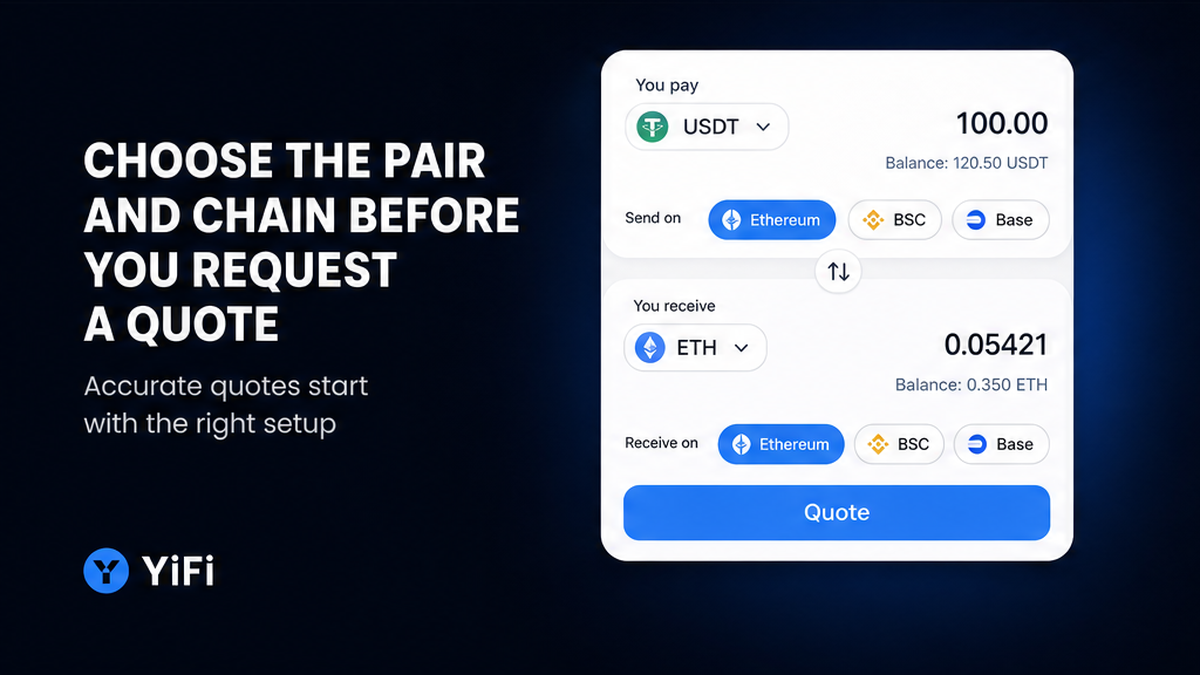
Pick the pair and the two networks first. One ticker on another network is another asset. USDT on Ethereum is not USDT on BSC or Base. The homepage names chains such as Ethereum, Arbitrum, BSC, and Base. Non-EVM support is described as coming later, so do not invent a live non-EVM list. Common deposit names on the homepage include USDT, USDC, ETH, and BTC via WBTC.
Paste the receive address only after the destination chain is visible. Make sure the address format matches that chain. Do not reuse an old screenshot address if the chain chip changed. Enter the send amount after the pair is set. If you change size, token, or chain, request a new quote.
Do: read the chain chips: send chain, receive chain, token names. Don’t: assume “USDT is USDT” across networks, and don’t confirm a leftover quote from a previous pair.
How to read the quote: gas, fees, and KYC label
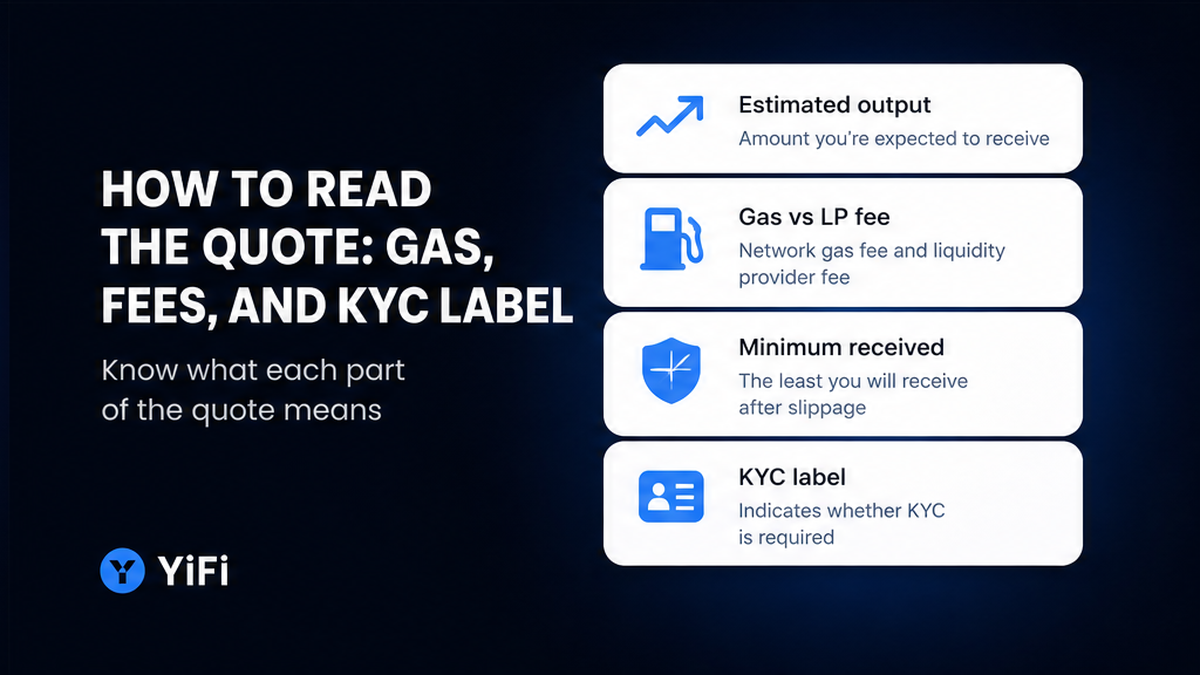
Treat every quote as indicative. In plain words: the screen shows a likely outcome, not a locked bank rate. YiFi Swap Terms (updated 17.07.2026) say the actual result can differ because of slippage, failed routes, or bridges. Slippage is the gap between the number you liked and the number that fills when the path moves. If the floor looks ugly, refresh, cut size, or pick another route.
Read the fee line as two bills. Network gas is the chain’s postage for an on-chain hop. An LP fee is the cut a DEX pool takes. An exchange fee is what an off-chain provider charges. The homepage FAQ states YiFi charges no extra platform fee on swaps. You still pay network gas and exchange or LP fees.
Watch for a KYC label on some off-chain routes. KYC means “know your customer”: a provider may ask for identity, delay, freeze, or reject a transfer. YiFi itself does not run KYC or AML on users. The label is a hint, not a passport check by YiFi. Restricted jurisdictions still apply; do not guess the country list. Read Swap Terms. If you do not want that provider, pick another route or use a DEX-only filter on the web Swap UI. For quote fields, use the guide on how to read a crypto swap quote and gas fees.
Do: check estimated output, gas versus LP or exchange fee, minimum received, and any KYC label before you tap confirm. Don’t: confirm a stale quote, and don’t treat a mid-market ticker as the floor you will receive.
Confirm destination: a checklist before you sign
Confirm only after the on-screen pair, chains, amount, and receive address match what you intended. Swap Terms describe the next move as: you sign from your own wallet, or you finish the step with the off-chain provider directly. YiFi does not hold the funds or the keys. Follow the buttons on the screen.
If the route is on-chain, keep native gas in the sending wallet. If the path is off-chain, complete the provider step they show. You are not depositing into a YiFi custodial Telegram balance. After confirm, wait for the completion card in the chat with @yifi_io_bot. The launch post says that card carries amount, chain, transaction hash, and order ID. Then check an explorer against minimum received, not against a mid-market ticker.
Do: use this checklist before you sign or send. Token names, both chains, your receive address, a fresh quote, and a plan to match the bot card to an explorer. Don’t: paste a seed phrase, reuse an address from the wrong chain, or send again because the Mini App webview closed. If something looks stuck, keep the order ID from that card before you open a new swap.
Compare Mini App vs web swap: same router, different front
Use the Mini App when you already sit in Telegram and want to swap without leaving chat. Use the web app when you want the full browser quote screen, DEX versus CEX filters, or the longer quote guide. Both fronts hit the same routing. The Mini App is not a simplified router with a secret spread.
| Check | Telegram Mini App | Web Swap |
|---|---|---|
| Router | Same Smart Routing. TMA post: 10+ swap providers. | Same aggregator: DEX, CEX, private liquidity. |
| How you open it | Official @yifi_io_bot, then Open, Menu, or Swap. | The web Swap page in a browser. |
| Quote | Indicative. Read gas, LP or exchange fee, minimum received, KYC label. | Same quote job, plus room for DEX or CEX filters. |
| Where completion lands | Bot card: amount, chain, tx hash, order ID. | Browser session. No bot card unless you also use the bot. |
| Custody | Non-custodial. You sign or finish with the off-chain provider. | Same. YiFi does not hold keys. |
Verdict: Stay in the Mini App when Telegram is already open and you want the bot receipt. Switch to the web Swap page when you need the wider quote screen or route filters.
The Mini App also surfaces Earn strategies such as Lido stETH and Aave WETH, USDT, or USDC. This guide stops at Swap. Next: recheck you are in official @yifi_io_bot, launch Swap, run the pair-chain-quote checklist, then match the bot card to an explorer.
Frequently asked questions
Is the Mini App the same router as yifi.io?
Yes. Treat it as another front on the same swap infra. Open @yifi_io_bot, tap Swap, then read the quote the same way you would on the web.
Do I still control my keys inside Telegram?
Yes. YiFi does not hold funds or keys. Confirm the destination yourself, then sign from your wallet or finish the off-chain provider step. Never paste a seed phrase into a Mini App.
Where does the swap completion message appear?
In the chat with @yifi_io_bot, not only inside the Mini App webview. Check amount, chain, transaction hash, and order ID on that card.
The quote looks different from a CoinGecko ticker. Should I confirm?
No. Open the quote checklist: estimated output, gas versus LP or exchange fee, minimum received. If the floor is ugly, refresh, cut size, or change route.
I see a KYC label on a route. What do I do?
Treat it as a hint, not a passport check by YiFi. If you do not want that provider, pick another route or use a DEX-only filter on the web Swap UI. Read Swap Terms before you continue.
Do I need a TON wallet or WalletConnect to swap in this Mini App?
Do not assume that. Official YiFi materials do not describe TON Connect or WalletConnect for this bot. Follow the on-screen pair, receive address, and confirm step. For a fuller wallet UI, use the web Swap page.