How to Zap into a DeFi Yield Strategy in One Transaction

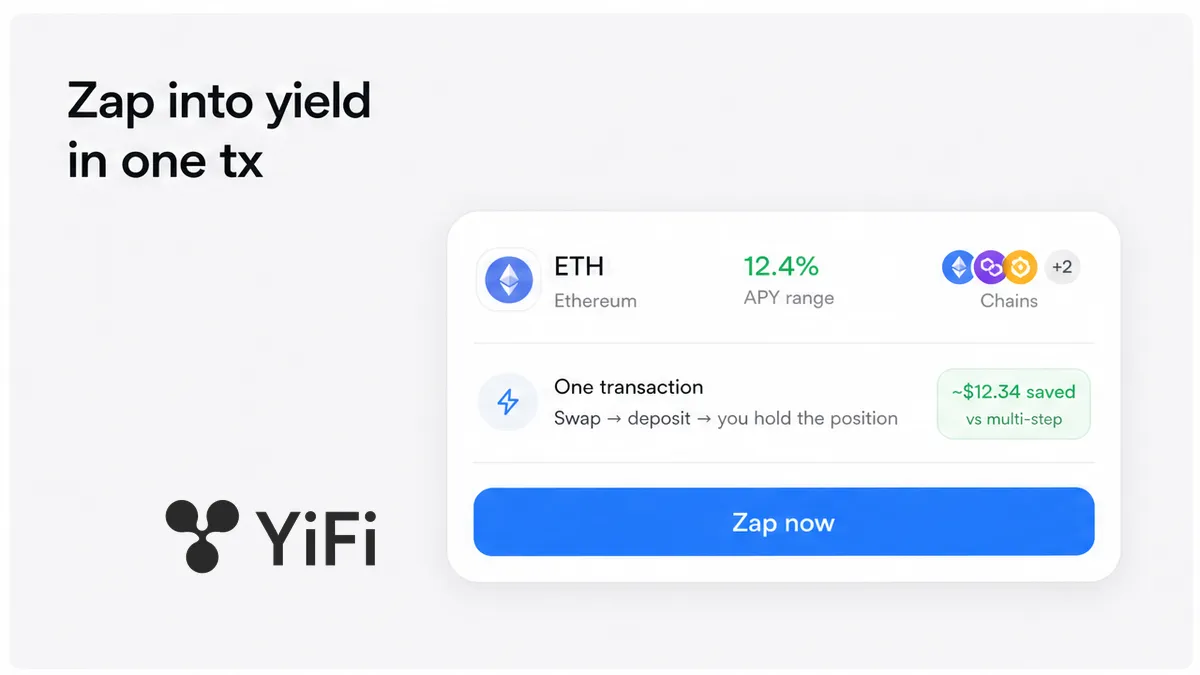
Entering DeFi yield often means three separate chores: swap into the right token, approve a spender, then deposit into a protocol. A zap packs swap and deposit into one signed transaction so you land in the strategy without juggling hops. Open official YiFi Earn, read the strategy card, match chain and wallet asset, review the zap quote (fees, slippage, minimum output), approve if needed, then sign once and hold the underlying protocol’s own position – not a YiFi vault share.
Summary: A zap is a single-asset path into a yield strategy: the router swaps what you hold and deposits into the target protocol in one transaction. On YiFi Earn that means a routing zap – after confirm you hold the protocol’s receipt (for example an aToken), while YiFi never custodians your keys. Read the strategy card, match chain and token, check minimum output, then sign only a fresh quote you can explain in one sentence.
YiFi Earn is a non-custodial interface: it lists third-party strategies, shows estimated APY and an indicative risk score, and builds transactions you sign yourself. Per the Earn Terms of Use, YiFi does not hold funds or manage money after deposit. The homepage marketing range of about 2–10% APY across 20+ strategies is a product snapshot, not an audit or a promise.
Industry zap guides (Stake DAO, Beefy, Factor) teach the same habit: pick strategy → review fee, impact, slippage, and min output → approve once if needed → confirm. YiFi’s angle is routing, not a Yearn-style vault receipt. Full category detail lives in what is a yield aggregator.
Confirm you want a routing zap, not a vault that keeps managing the position
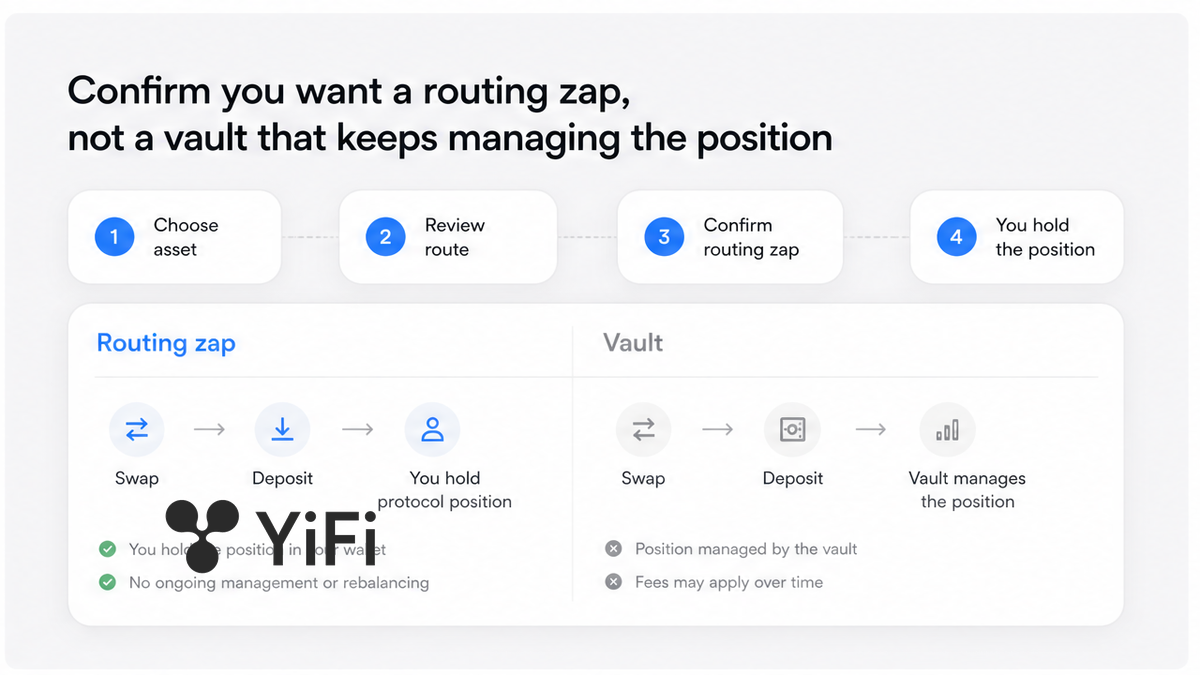
A zap (zap-in) takes one wallet asset and auto-converts it into whatever the strategy needs, then deposits – often in one atomic transaction. Zap-out is the reverse: exit toward a single chosen asset. On a routing aggregator you finish holding the underlying protocol’s own position. On a vault aggregator you finish holding the vault’s share token while the vault keeps harvesting for you.
| Model | What you hold after deposit | Who manages next | How you exit |
|---|---|---|---|
| Routing zap (YiFi Earn) | Protocol receipt (aToken, stETH, staked position) | The underlying protocol’s rules | Withdraw at that protocol (or Earn withdraw / zap-out if offered) |
| Vault zap (Yearn / Beefy style) | Vault share (yv / moo token) | Vault harvests and compounds | Redeem the vault share under vault rules |
Do: Open YiFi Earn only when you want the protocol position in your wallet after one signature. Don’t: Expect YiFi to keep compounding like a vault or to issue a YiFi share token.
How to read the strategy card: protocol, asset, APY range, risk rating
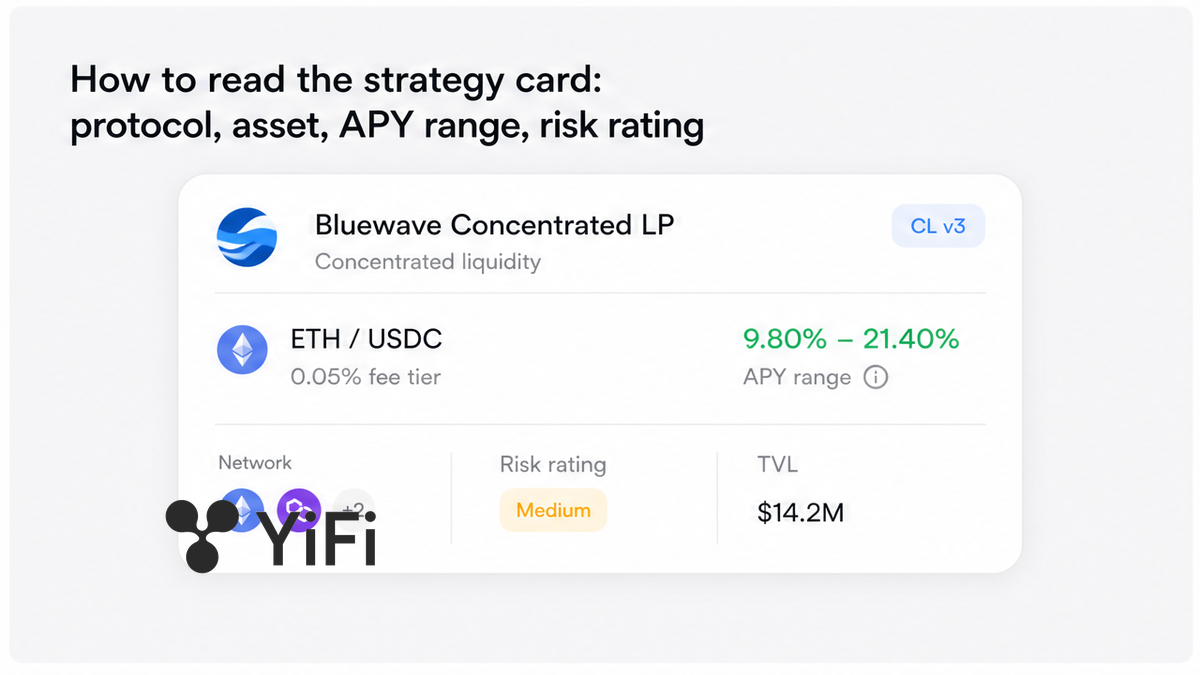
Before you touch amount fields, read the strategy card like a product label. Note the protocol name (Aave, Pendle, Morpho, Lido, and similar providers named on the homepage), the underlying asset the strategy actually uses, the informational APY range, the risk rating, and any lock, cooldown, or withdrawal queue.
APY here means annual percentage yield as shown from external or on-chain sources. Under Earn Terms it is informational – not advice, not a guarantee. You can earn less, earn nothing, or lose. Risk score is the same class of hint: smart-contract, market, and liquidity risks stay with the protocol you enter.
Do: Treat APY as a label and risk rating plus locks as the decision filter. Don’t: Deposit because the green percentage alone looks high.
Checklist: match chain and the asset you actually hold before you zap
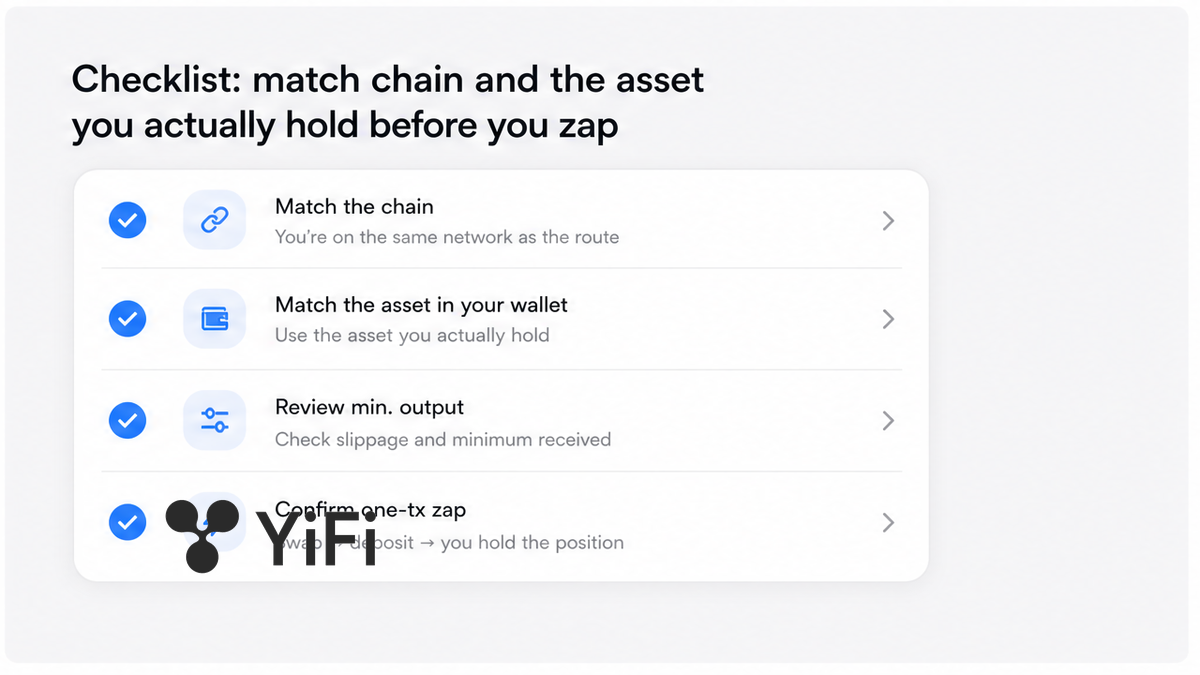
Zaps are chain-specific. USDT on Ethereum is not USDT on Arbitrum or BSC even when the ticker matches. Confirm the network in your wallet matches the strategy network, and that the token you will spend is actually on that balance – common homepage examples include USDT, USDC, ETH, and BTC via WBTC, plus natives by network.
Keep a little native gas for an approve (if required) and for the zap itself. If either hop fails, gas can still burn.
Do: Match chain + ticker + balance in one pass before you request a quote. Don’t: Bridge mid-flow because the letters look familiar.
Workflow: sign once – swap + deposit; then you hold the protocol’s own position
YiFi Earn how-it-works docs describe the lifecycle: discover → zap quote → zap build → you sign → settle into the underlying → portfolio. Execution may use third-party routers such as Portals or LI.FI; YiFi builds the payload and does not sign for you.
Workflow: Earn → pick strategy card → match chain / token → zap quote (fees / slippage / min out) → approve if needed → sign one tx → hold protocol receipt → withdraw later under protocol rules
- Open official YiFi Earn and connect the wallet that holds the asset you will spend.
- Pick the strategy and re-read protocol, asset, APY range, risk rating, and any lock or cooldown.
- Confirm wallet network and token balance match the card; keep native gas for approve plus zap.
- Request a zap quote for your input token and amount. Check expected receipt token, fee breakdown, route steps, slippage, and minimum output.
- If the UI asks, approve the ERC-20 spender for the amount you intend to zap (first time for that token/spender). Then sign the ready deposit transaction from a fresh build – not a stale quote.
- After confirmation, open the wallet or explorer and verify the underlying protocol receipt appeared (for example an Aave aToken after supply, which tracks the deposit 1:1 and accrues yield in balance).
- Note where you will exit later and that residual risk is the protocol’s smart-contract, market, and liquidity risk plus any lock on the card.
Minimum output is your floor if the market moves while the transaction waits. Stake DAO’s zap guide teaches the same review: network fee, price impact, slippage, fees, min output. If the floor looks ugly, cut size, refresh the quote, or pick another strategy – do not widen slippage as the first fix.
Aave’s pool model is a clear mental picture: you supply an asset, the pool mints aTokens to your address, and you withdraw under Aave rules later. Lido’s ETH → stETH flow is another receipt pattern. Routing zaps aim at that class of position, not a YiFi vault share.
Do: Sign one fresh zap payload you can explain in one sentence. Don’t: Reuse an old quote or approve unlimited allowance out of habit.
After the zap: where to withdraw, what risk remains
After a routing zap, YiFi is no longer in the custody path. You withdraw on-chain from the underlying protocol, or through Earn’s withdraw / zap-out flow when the UI offers it. Some strategies set delays, lock-ups, or queues – those rules come from the Protocol, not from YiFi (Earn Terms §3.4).
Residual risk is real: smart-contract bugs, market moves, liquidity gaps, and any lock you accepted on the card. APY on the card does not erase those. If you need cash soon, skip strategies with cooldowns you have not measured in calendar time.
Do: Write down the exit path before you need liquidity. Don’t: Assume YiFi can “send funds back” like a custodian.
Ready to run the flow on a live card? Start at YiFi Earn, pick one strategy you can explain, and stop if the quote or lock fails the one-sentence test.
Frequently asked questions
Do I keep custody after a YiFi zap?
Yes – sign from your own wallet and, after confirmation, hold the protocol’s receipt token yourself. Open the wallet or explorer to confirm that receipt, then withdraw later under that protocol’s rules (or Earn withdraw if offered); YiFi does not hold client funds.
Is the APY on the strategy card guaranteed?
No – treat the card APY as informational from external sources under the Earn Terms. If the percentage is your only reason to deposit, stop and re-read the risk rating plus any lock or cooldown first.
How is a YiFi routing zap different from a Yearn-style vault?
Expect an underlying protocol position (aToken, staked receipt, or similar), not a YiFi-issued vault share. Vaults keep managing and compounding behind their own token; routing leaves you under the protocol’s exit rules after one swap-and-deposit transaction.
Do I need both LP tokens to enter a strategy?
For a single-asset zap, supply one wallet token and let the route swap and deposit for you. Still verify the target strategy’s required asset and chain on the card before you sign.
What if minimum output looks too low?
Do not widen slippage as the first move. Cut size, refresh the quote, or pick another strategy or route, and sign only a floor you can still accept in one sentence.
Why did I get an approve prompt before the zap?
Approve the ERC-20 amount you intend to zap when it is the first allowance for that spender, then sign the deposit transaction. Unlimited approve is a wallet habit choice, not a requirement of every zap.
Where do I exit after the zap?
Exit at the underlying protocol, or use Earn withdraw / zap-out when the product offers it. Check lock and cooldown on the strategy card before you need liquidity.